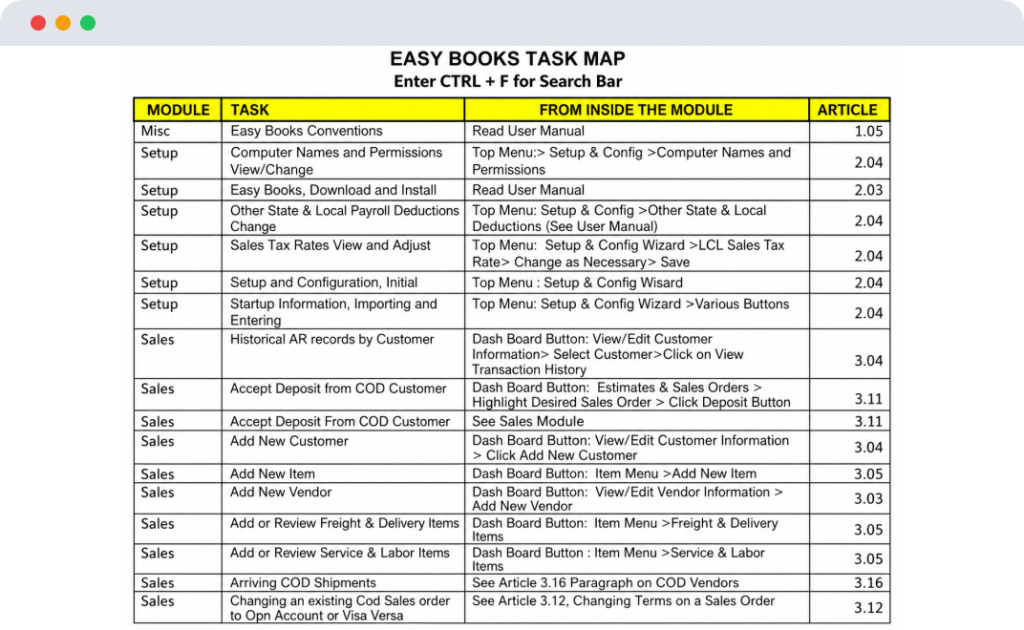
Easy Books supports over 150 common business tasks. It also makes it very easy to find the business task you need with the help of our built in Task Map because it includes each of these tasks. From the Sales or Accounting Main window (Top Menu Bar), select HELP. Then select Task Map.
Once in Task Map, use CTRL + F to search the on the left side for the task you are interested in. The right side of the task map will tell you how to get to that task in the software, as well as where it is described in the User Manual which is also available from the help menu.