
Benefits
What changes when you move to Easy Books
The feature list tells you what the software does. This page is about what it does for you, which is a different question and usually the one that decides matters.
Your own books
You can keep your own books
Most small accounting packages assume an accountant is somewhere in the background. The screens use the language of debits and credits, and when something unusual happens the answer is a general journal entry, which is the point at which most business owners stop and telephone somebody.
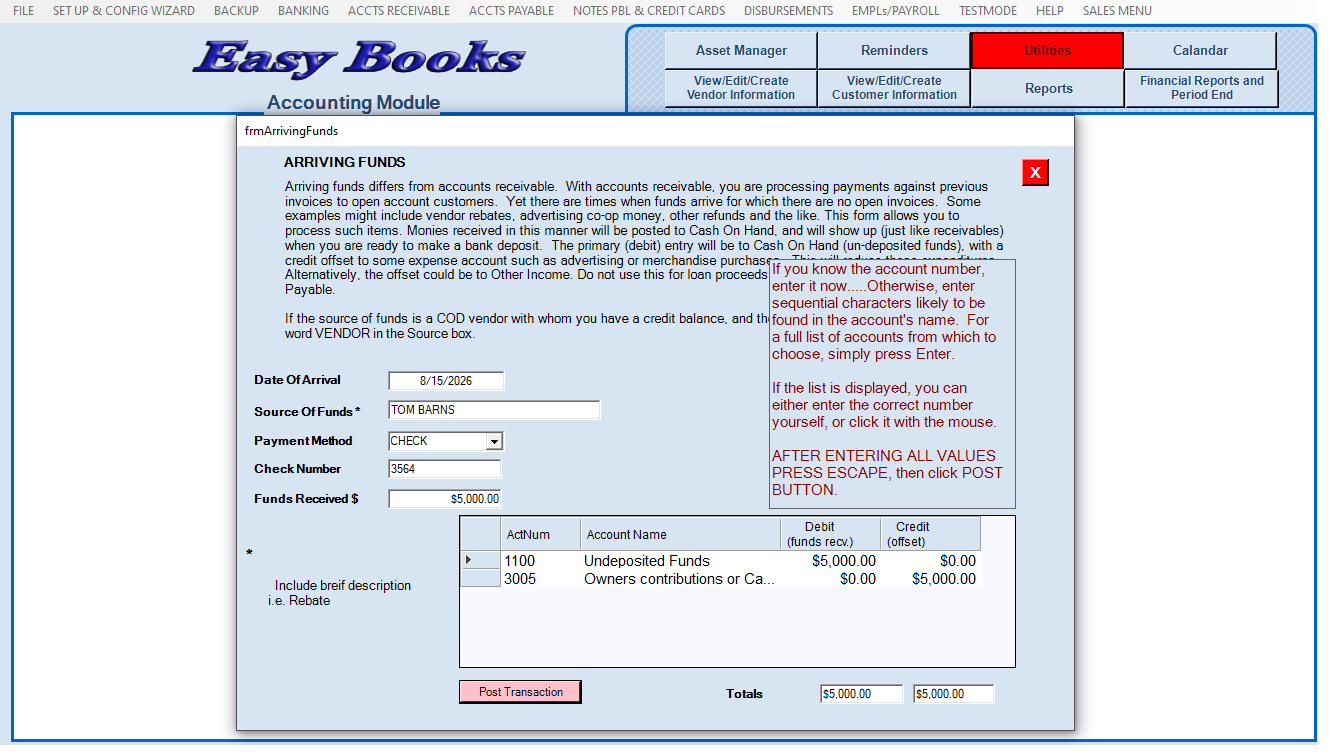
Easy Books was written the other way round. Money arriving from outside the receivables system goes through a window called Arriving Funds, which asks you plain questions and makes the entries itself. Payroll expenses land in the period the work was done and the checks land on the day they were issued, automatically, without you accruing anything. Depreciation is one button. An inventory recount posts its own variance and cost of goods sold.
You will still want an accountant at year end. You will not need one to get through a Tuesday.
Your data stays yours
Cloud accounting means your financial records live on a company's servers, under that company's terms, at a price that company sets each year. Moving them out later is rarely as easy as moving them in.
Easy Books keeps everything on your own machines. There is no outside party holding your books, no subscription that holds your data hostage, and no dependence on a connection you do not control. If your internet is down, your accounting system is not.
No server, and no IT contractor
Running Easy Books across several computers does not require a server, a network consultant or a maintenance agreement. The manual explains the setup and a reasonably confident owner can do it in an afternoon. For a ten-person business, that alone removes a recurring cost most software takes for granted.
Learning curve
A learning curve measured in days
Consistency is what makes software quick to learn. Every window in Easy Books works the way the last one did: the menu frame stays visible so you always know where you are, the task you selected stays highlighted in red until you have finished it, the panels you can currently use are outlined in red, and the instructions on screen change to match what you are doing.
Data entry follows a logical keyboard order rather than scattering boxes across the screen for you to hunt with a mouse and hope you have not missed one.
And when you want to practice, Test Mode lets you do it on real data with nothing at risk.
Pricing
One price, no games
$59.50 a month, up to ten computers, unlimited users, and the same price next year. No 90-percent introductory discount designed to get you committed before the real rate arrives.
Included at no extra charge:

Perpetual inventory tracking
The built-in time clock for up to sixteen hourly employees
The asset manager with automatic depreciation
Both modules, Sales and Accounting
Elsewhere, several of those are separate purchases.
See pricingBefore you compare
Six things worth knowing
These are the capabilities customers coming from other systems notice first.
Test Mode
Practice or train on real data with no chance of damaging it. We do not know of another small-business package that offers this.
Arriving Funds
Post money that did not come from a customer invoice without writing a journal entry.
Period-correct payroll
Checks dated in the new period, expenses recorded in the period the work was done, automatically — which matters if you carry inventory.
The PO Wizard
Intelligent purchase orders from on-hand, on-order, open customer orders, min/max and standard pack, and it will not over-order.
Profit Plus
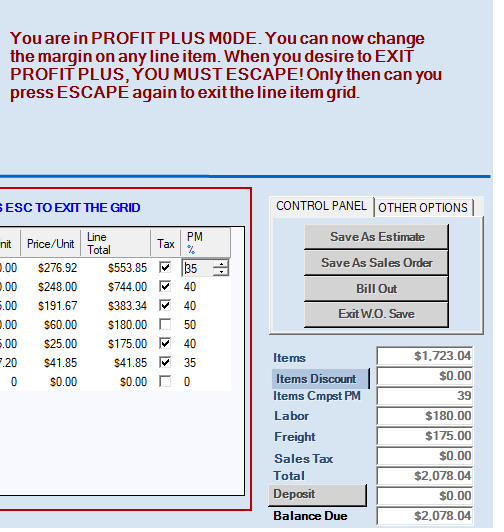
Line-by-line and whole-order margin, live, while you adjust the price.
Live availability
Real stock on every sales line, with the back order raised for you when there is not enough.
The everyday work
Where the everyday work gets easier
Vendor returns and customer warranty returns keep stock, payables, receivables and cost of goods in step without anybody reconciling them afterwards. Payables can be scheduled and paid in batch check runs instead of one at a time. Customers paying COD can leave several deposits against one order. Underpayments and overpayments are settled inside the payment screen rather than through credits and deposits. You get a payables aging report, not only a receivables one.
None of these is dramatic on its own. Together they are most of a bookkeeper's week.
Honestly
Who Easy Books is not for
If you bill by the hour, run job costing on construction sites, trade in several currencies or need to open your books from an airport, this is not the right software and we would rather tell you now.
If you buy products, hold them and sell them, and you have somewhere between one and twenty employees, it was built for you specifically.
Request the manual
See it for yourself before you decide anything
We will send you the complete Easy Books User Manual and the Task Map, free and with no obligation. Read them, compare them against whatever you are using now, and judge for yourself whether this is simpler. It takes under a minute to ask.